DeepSeek Harness: Model Configuration
Last updated: 2026-08-31
Models are the Agent's "brain" — choose the right model and configure the connection properly, and the Agent can work efficiently. DSH's model-agnostic design lets you freely switch LLMs — from DeepSeek to GPT-4o to local Ollama — by simply modifying configuration with no code changes.
📋 Prerequisites: Completed 03-first-use.md, Web UI running normally
1. What You'll Learn
- DeepSeek API Key acquisition and configuration
- Web UI settings page operations
- OpenAI-compatible endpoint configuration
- Model routing and multi-model switching
- API Key security management best practices
2. DeepSeek API Key Configuration
(1) Obtaining an API Key
Visit the DeepSeek open platform to get an API Key:
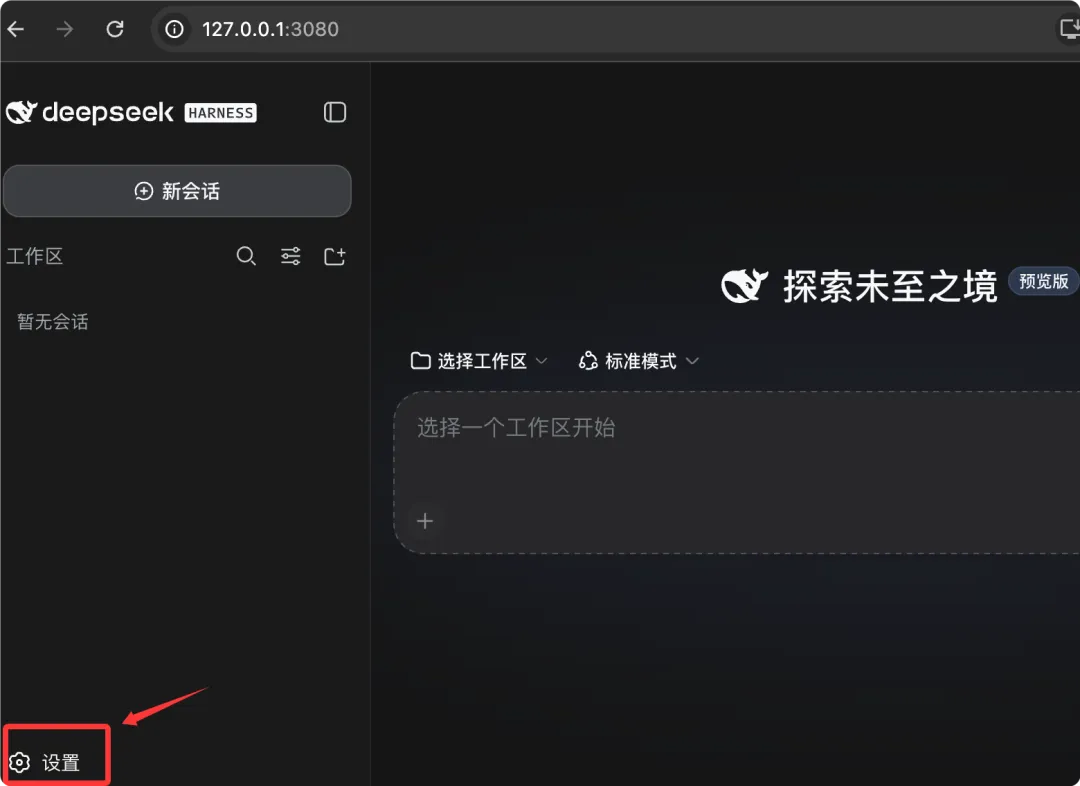
2. Register/log in to your account
3. Go to the API Keys page
4. Click "Create API Key"
5. Copy the generated Key (starts with sk-)
Note: The API Key is only shown once at creation time. Save it immediately. If lost, you'll need to create a new one.
(2) Configuring the API Key
Three configuration methods, in order of priority from high to low:
Method 1: Web UI Settings Page (Recommended)
Top control bar → ⚙️ Settings → Models → DeepSeek API Key
┌─────────────────────────────────────────┐
│ DeepSeek API Key                         │
│ sk-•••••••••••••••••••••••••••xxxx       │
│ [Test Connection]  [Save]                │
└─────────────────────────────────────────┘
Click Test Connection to verify connectivity:
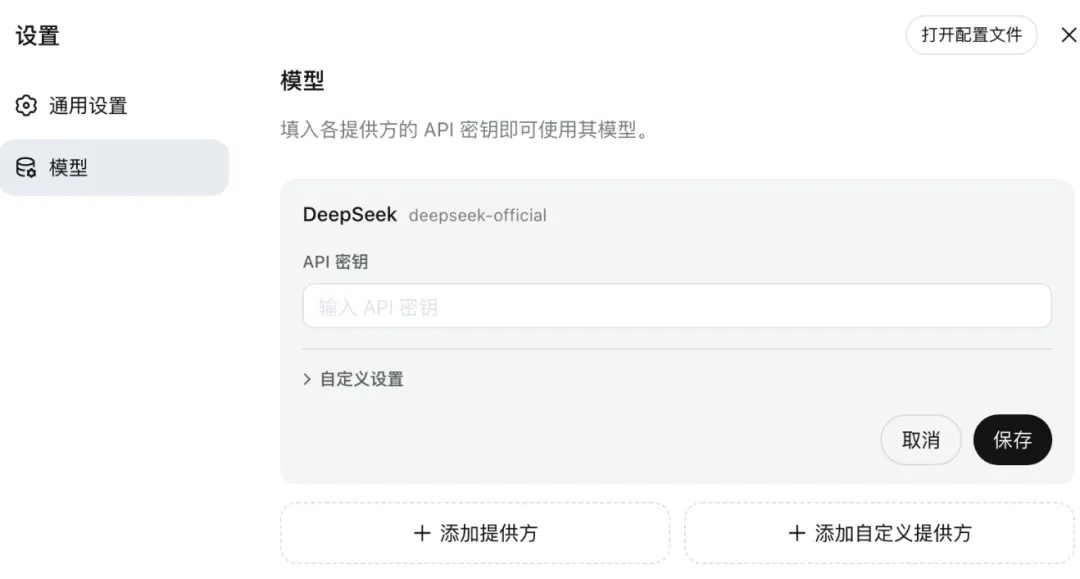
✅ Connection successful!
   Model: deepseek-chat
   Latency: 120ms
Method 2: Environment Variable
# Configure in .env file or shell
export DEEPSEEK_API_KEY="sk-xxxxxxxxxxxxxxxxxxxxxxxxxxxxxxxx"
Method 3: Configuration File
# dsh.config.yaml
models:
  deepseek:
    api_key: "sk-xxxxxxxxxxxxxxxxxxxxxxxxxxxxxxxx"
    base_url: "https://api.deepseek.com/v1"
(3) Available DeepSeek Models
| Model ID | Description | Context Window | Use Cases |
|---|---|---|---|
deepseek-chat |
General conversation model | 64K tokens | Daily programming, Q&A |
deepseek-reasoner |
Reasoning-enhanced model | 64K tokens | Complex logic, mathematical reasoning |
deepseek-coder |
Code-specific model | 16K tokens | Code generation, debugging |
3. Settings Page Details
(1) ▶ Example 1
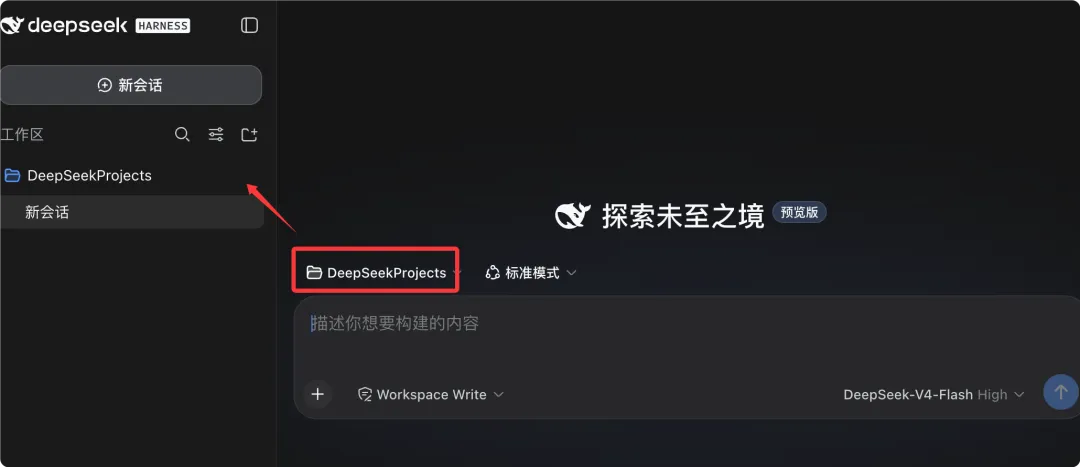
┌──────────────────────────────────────────────┐
│ 📡 Model Providers                            │
│                                                │
│ ┌─ DeepSeek ────────────────────────────────┐ │
│ │ API Key: sk-•••••••••xxxx                 │ │
│ │ Base URL: https://api.deepseek.com/v1     │ │
│ │ Default Model: deepseek-chat              │ │
│ │ [Test] [Save]                             │ │
│ └───────────────────────────────────────────┘ │
│                                                │
│ ┌─ OpenAI Compatible ───────────────────────┐ │
│ │ API Key: sk-•••••••••xxxx                 │ │
│ │ Base URL: https://api.openai.com/v1       │ │
│ │ Default Model: gpt-4o                     │ │
│ │ [Test] [Save]                             │ │
│ └───────────────────────────────────────────┘ │
│                                                │
│ [+ Add Provider]                               │
└──────────────────────────────────────────────┘
(2) Configuration Item Descriptions
| Configuration Item | Description | Example |
|---|---|---|
| API Key | LLM service authentication key | sk-xxxxxxxx |
| Base URL | API endpoint address | https://api.deepseek.com/v1 |
| Default Model | Default model to use | deepseek-chat |
| Max Tokens | Maximum tokens per response | 4096 |
| Temperature | Generation temperature (0-2) | 0.7 |
(3) ▶ Example 3
# dsh.config.yaml
models:
  deepseek:
    api_key: "${DEEPSEEK_API_KEY}"
    default_model: deepseek-chat
    params:
      temperature: 0.7
      max_tokens: 4096
      top_p: 0.95
  openai:
    api_key: "${OPENAI_API_KEY}"
    default_model: gpt-4o
    params:
      temperature: 0.5
      max_tokens: 8192
Recommended parameters for different scenarios:
| Scenario | Temperature | Max Tokens | Notes |
|---|---|---|---|
| Code generation | 0.2-0.4 | 4096+ | Low temperature ensures code consistency |
| Documentation writing | 0.5-0.7 | 4096 | Moderate creativity |
| Creative brainstorming | 0.8-1.0 | 8192+ | High temperature encourages diversity |
| Precise Q&A | 0.0-0.2 | 2048 | Most deterministic output |
4. OpenAI-Compatible Endpoint Configuration
(1) ▶ Example 1
# dsh.config.yaml
models:
  openai:
    api_key: "${OPENAI_API_KEY}"
    base_url: "https://api.openai.com/v1"
    default_model: gpt-4o
(2) Azure OpenAI Endpoint
# dsh.config.yaml
models:
  azure:
    api_key: "${AZURE_OPENAI_API_KEY}"
    base_url: "https://your-resource.openai.azure.com/openai/deployments/your-deployment"
    default_model: gpt-4o
    headers:
      api-key: "${AZURE_OPENAI_API_KEY}"
(3) Local Ollama Endpoint
# dsh.config.yaml
models:
  ollama:
    api_key: "ollama"           # Ollama doesn't need a real Key
    base_url: "http://localhost:11434/v1"
    default_model: llama3.2
(4) Custom Endpoint
Any service compatible with the OpenAI API format can be connected:
# dsh.config.yaml
models:
  custom:
    api_key: "${CUSTOM_API_KEY}"
    base_url: "https://your-llm-service.com/v1"
    default_model: your-model-name
    headers:
      X-Custom-Header: "custom-value"


(5) Multi-Endpoint Architecture
graph TB
    DSH[DeepSeek Harness] -->|Provider 1| DS[DeepSeek API<br/>deepseek-chat]
    DSH -->|Provider 2| OAI[OpenAI<br/>gpt-4o]
    DSH -->|Provider 3| OLL[Ollama<br/>llama3.2]
    DSH -->|Provider 4| AZ[Azure OpenAI<br/>gpt-4o]
5. Model Routing and Multi-Model Selection
(1) Switching Models in Web UI
Switch models using the dropdown in the top control bar:
[deepseek-chat ▼]
┌──────────────────────────┐
│ ● deepseek-chat          │
│   DeepSeek · 64K ctx     │
│                          │
│ ○ gpt-4o                 │
│   OpenAI · 128K ctx      │
│                          │
│ ○ llama3.2               │
│   Ollama · 8K ctx        │
└──────────────────────────┘
(2) Model Routing Strategy
DSH supports automatically routing to different models based on task type:
# dsh.config.yaml
routing:
  rules:
    - match:
        mode: ptc            # PTC mode
      model: deepseek-reasoner   # Use reasoning model for planning

    - match:
        tool: file_edit      # File editing
      model: deepseek-coder  # Use code model

    - match:
        mode: creative       # Creative mode
      model: gpt-4o          # Use GPT-4o

    - match:
        default: true        # Default route
      model: deepseek-chat
(3) Routing Flow
graph TD
    INPUT[User Input] --> CHECK{Match Routing Rules}
    CHECK -->|PTC Mode| R1[deepseek-reasoner]
    CHECK -->|file_edit Tool| R2[deepseek-coder]
    CHECK -->|Creative Mode| R3[gpt-4o]
    CHECK -->|Default| R4[deepseek-chat]
(4) Specifying Models in CLI Mode
# Specify model at startup
npx @deepseek-ai/dsh cli --model gpt-4o

# Switch models during a session (CLI internal command)
/model deepseek-reasoner
6. API Key Security Management
(1) Security Principles
| Principle | Description |
|---|---|
| No hardcoding | API Keys should not be written directly in code |
| Don't commit to Git | Add .env file to .gitignore |
| Least privilege | Only configure necessary service access permissions |
| Regular rotation | Periodically replace API Keys |
| Audit logs | Monitor API Key usage |
(2) Environment Variable Management
# .env file (not committed to Git)
DEEPSEEK_API_KEY=sk-xxxxxxxxxxxxxxxx
OPENAI_API_KEY=sk-yyyyyyyyyyyyyyyy

# .env.example file (committed to Git, for team reference)
DEEPSEEK_API_KEY=your-deepseek-api-key
OPENAI_API_KEY=your-openai-api-key
# .gitignore
.env
.env.local
.env.*.local
(3) Variable References in Configuration Files
DSH configuration files support environment variable references to avoid hardcoding:
# dsh.config.yaml — Use ${VAR} to reference environment variables
models:
  deepseek:
    api_key: "${DEEPSEEK_API_KEY}"    # Read from environment variable at runtime
    base_url: "https://api.deepseek.com/v1"
  openai:
    api_key: "${OPENAI_API_KEY}"
    base_url: "https://api.openai.com/v1"
(4) Secret Management Service Integration
For enterprise deployments, professional secret management services are recommended:
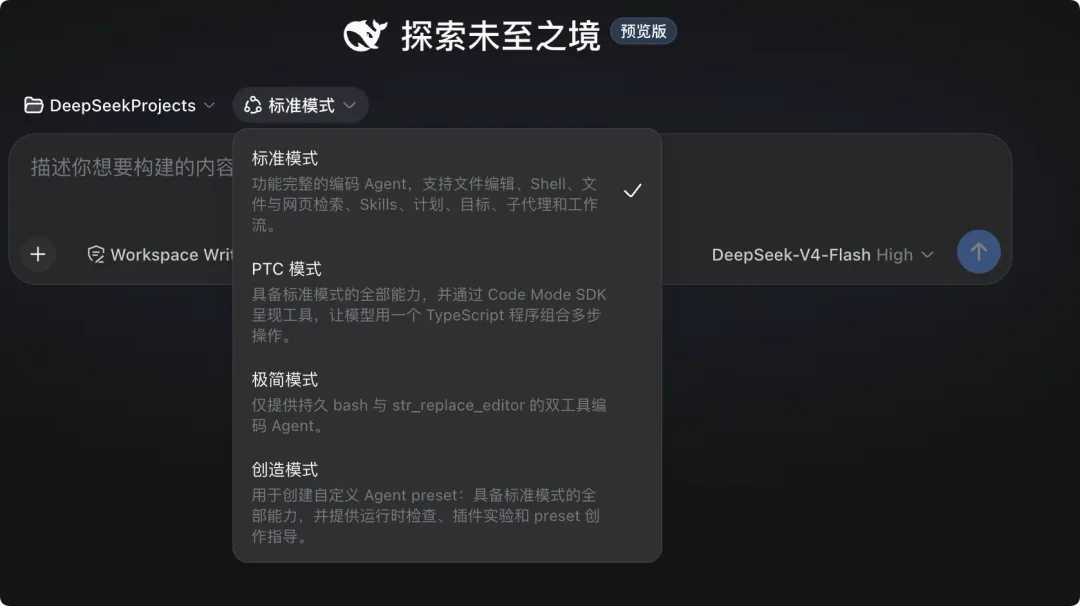
models:
  deepseek:
    api_key:
      vault: aws-secrets-manager
      secret_id: "dsh/deepseek-api-key"
      region: "us-east-1"
(5) Key Leak Emergency Response
1. Immediately disable/delete the leaked Key on the API provider's platform
2. Generate a new Key and update configuration
3. Check API call logs to confirm no abnormal usage
4. Review Git history to ensure the Key hasn't been committed (if committed, use git filter-branch to remove it)
7. Connection Troubleshooting
(1) Common Errors and Solutions
| Error Message | Cause | Solution |
|---|---|---|
Invalid API key |
Key is wrong or expired | Regenerate Key and configure |
| Connection refused | Endpoint address is wrong | Check Base URL |
| Rate limit exceeded | API call frequency exceeded | Reduce request frequency or upgrade plan |
| Model not found | Model ID is wrong | Check model name spelling |
| Timeout | Network unreachable | Check proxy settings or firewall |
(2) Connection Test Commands
# Test DeepSeek API
curl -s https://api.deepseek.com/v1/models \
  -H "Authorization: Bearer $DEEPSEEK_API_KEY"

# Test OpenAI-compatible endpoint
curl -s https://api.openai.com/v1/models \
  -H "Authorization: Bearer $OPENAI_API_KEY"

# Test local Ollama
curl -s http://localhost:11434/v1/models
(3) Proxy Configuration
If you need to access the API through a proxy:
# Set HTTP proxy
export HTTP_PROXY="http://proxy.example.com:8080"
export HTTPS_PROXY="http://proxy.example.com:8080"

# Or specify in configuration file
# dsh.config.yaml
models:
  deepseek:
    api_key: "${DEEPSEEK_API_KEY}"
    base_url: "https://api.deepseek.com/v1"
    proxy: "http://proxy.example.com:8080"
❓ FAQ
/model to view the current model.📖 Summary
- DeepSeek API Key can be configured via environment variables, configuration files, or Web UI settings
- OpenAI-compatible endpoints let DSH connect to any OpenAI API format service
- Model routing strategies can automatically select the optimal model based on mode/tool
- API Key security management: no hardcoding, don't commit to Git, use environment variable references
- Switch models with one click at the Web UI top; use
/modelcommand in CLI - Troubleshoot connection issues in Key → URL → Network → Proxy order
📝 Exercises
1. ⭐ Basic: Configure a DeepSeek API Key, successfully send a message in the Web UI and receive a reply. Save a screenshot of the connection test results.
2. ⭐⭐ Intermediate: Configure both DeepSeek and OpenAI model providers, switch between the two models in the same session, and compare the differences in responses to the same question.
3. ⭐⭐⭐ Challenge: Configure an Ollama local model endpoint, and write model routing rules — route code editing operations to DeepSeek Coder, creative tasks to GPT-4o, and use DeepSeek Chat as the default. Verify that routing works as expected.
